File sharing moves files. Document management organizes records. Governed document custody controls sensitive exchange from request through retention and lifecycle.
That distinction matters because sensitive documents do not behave like ordinary files. A passport copy, visa record, payroll document, bank statement, insurance claim file, customer due diligence record, or legal evidence bundle carries purpose, identity, access risk, retention expectations, and operational consequence. The question is not only where the file is stored. The question is how the organization governs the full exchange.
Many teams use file sharing and document management tools because they are available, familiar, and practical. Those tools may be appropriate for collaboration, storage, knowledge work, and internal records. The problem begins when they become the primary control layer for sensitive document collection. A folder can hold a file. A repository can classify a record. Neither automatically proves why the document was requested, how it was submitted, who reviewed it, what access was appropriate, or when the document should leave active custody.
This is the category difference. Governed document custody is not a nicer upload page or a branded shared folder. It is a workflow-level operating model for requesting, receiving, reviewing, auditing, retaining, restricting, and removing sensitive documents.
For a broader definition of the category, see why document custody matters.
File sharing: moving a document from one place to another
File sharing is a transport function. It helps a person send a file, upload a file, grant access to a folder, or distribute a link. That can be enough for ordinary collaboration. A marketing team sharing draft assets, a finance team exchanging a spreadsheet, or colleagues co-editing a presentation may need speed and convenience more than lifecycle governance.
Sensitive document workflows have a different risk profile. When an applicant sends a passport, an employee submits bank details, a guest provides identity evidence, or a customer uploads due diligence documents, the organization needs more than a transfer mechanism. It needs a controlled record of the request and the handling that followed.
File sharing tools often begin at the moment a link or folder is created. The surrounding business process remains outside the tool. A staff member may request a document by email, receive it by attachment, upload it to a folder, and notify another team in chat. Even if the final storage location is secure, the chain of custody is fragmented.
That fragmentation becomes visible when the organization needs to answer basic governance questions. Who asked for the document? Was the submitter given a controlled route? Was the file received through the expected channel? Who downloaded it? Was it forwarded before upload? Why does the organization still hold it? Which copy is authoritative?
File sharing may provide activity signals around the folder or link. Governed custody requires a workflow record around the document.
For a direct category comparison, see file sharing vs governed document custody.
Document management: organizing records after receipt
Document management is usually a repository and records discipline. It helps organizations store, classify, search, version, organize, and retrieve documents. In some environments it may also support approvals, metadata, retention labels, permissions, and archival policies.
That makes document management useful. It can be important after a document has entered the organization and become part of a matter, employee file, customer record, claim, case, or operational archive. The limitation is that many sensitive workflows begin before the document reaches the repository.
An organization often has to request the document from someone outside the system of record. That person may be a client, employee, tenant, hotel guest, insured party, visa applicant, supplier, or customer. The organization must explain what is needed, provide a trusted submission route, record receipt, and connect the file to a defined workflow.
Traditional document management is not always designed around that intake moment. It may organize the record once staff have uploaded it, but it may not govern the original request, the submitter experience, or the review state. If the document arrived by email, chat, or a generic upload folder, the repository may inherit a weak custody history.
This is why document management and document custody should not be treated as interchangeable categories. Document management answers, “How do we organize and retrieve records?” Governed document custody answers, “How do we control the exchange and lifecycle of sensitive documents from the first request onward?”
Governed document custody: controlling the exchange
Governed document custody begins with purpose. A document is requested because a workflow requires it. That request should identify the document type, the submitter, the business context, the receiving organization, and the reason the document is needed. The request should not be scattered across inbox text, staff memory, spreadsheet notes, and folder names.
The submitter then needs a controlled path. A person asked to provide a passport, bank statement, or identity document should understand that the request is specific, accountable, and connected to a legitimate process. A generic upload link or email reply may be fast, but it does not signal the same level of control.
After receipt, governed custody continues through access, review, audit, retention, and lifecycle management. Reviewers should be able to see what was requested, what arrived, what remains missing, and what action was taken. Access should be scoped to the workflow and roles involved. Audit history should describe document-level events rather than forcing teams to reconstruct activity from multiple systems.
Retention is part of the same model. A sensitive document should not remain broadly accessible simply because a folder was never cleaned. The workflow should carry enough context to support policy-driven retention, restriction, archival, or deletion decisions. That does not remove the need for legal and governance judgment.
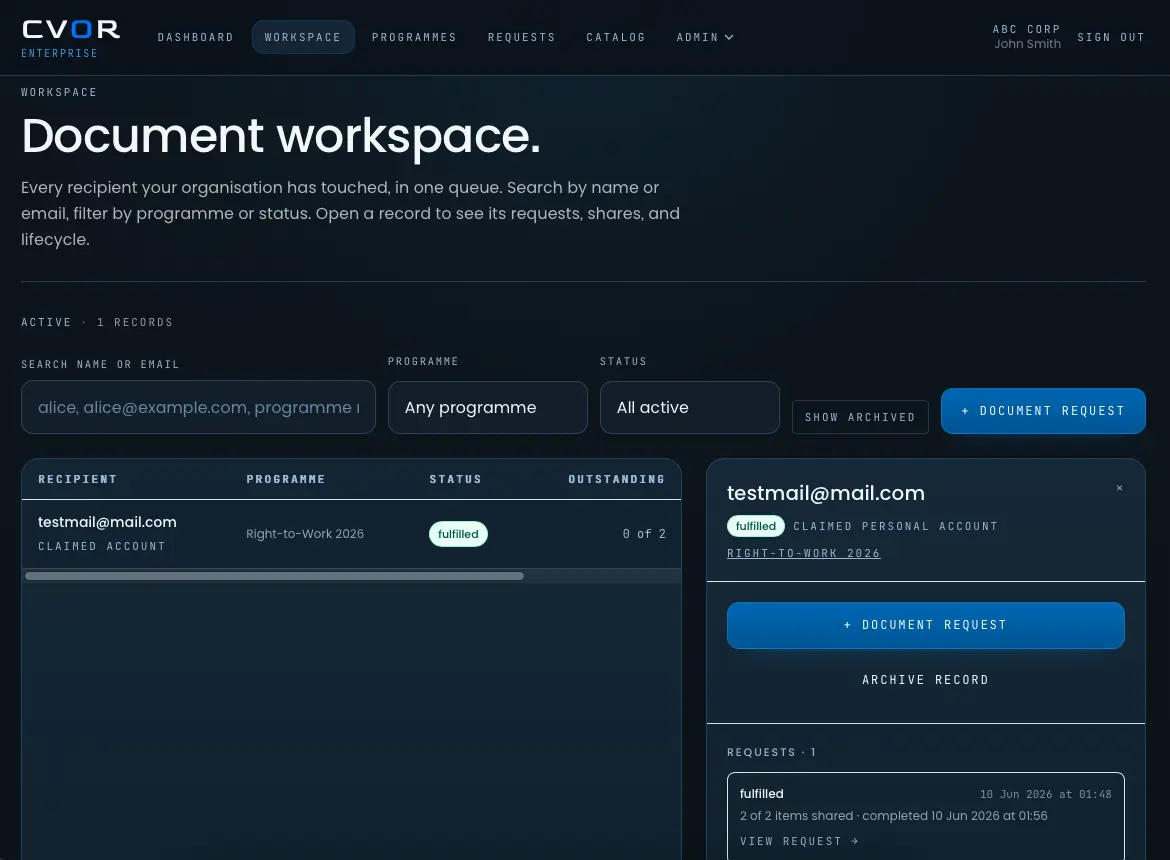
CVOR’s platform is built around this governed custody model: controlled request, encrypted receipt, scoped access, auditability, retention enforcement, and lifecycle management for sensitive document workflows.
The practical comparison
The distinction becomes clearer when each category is tested against a sensitive exchange.
| Requirement | File sharing | Document management | Governed document custody |
|---|---|---|---|
| Primary purpose | Move or share files | Organize and retrieve records | Control sensitive document exchange |
| Starting point | Link, folder, upload, or attachment | Stored document or record | Structured request tied to workflow |
| Submitter experience | Often generic | Often outside the system | Controlled and purpose-specific |
| Request context | Usually separate | May be added after receipt | Captured before submission |
| Audit trail | Activity around files or folders | Repository events and records | Request, receipt, access, review, and lifecycle events |
| Access control | Link or folder permissions | Repository permissions and roles | Workflow-aware authorization |
| Retention | Often manual or folder-level | Records policy or archival controls | Connected to purpose, document type, and lifecycle state |
| Best fit | Low-risk collaboration and transfer | Internal records organization | Sensitive collection and custody workflows |
Each category has a different job. File sharing is often useful for moving files. Document management is often useful for organizing records. Governed document custody is needed when the exchange itself carries risk.
Example: employee onboarding documents
Employee onboarding shows the difference in ordinary operational terms. A new hire may be asked for identity documents, payroll details, tax forms, signed policies, right to work evidence, and emergency contact information. Each item has a purpose. Each may involve different access needs and lifecycle expectations.
In a file-sharing model, the HR coordinator might send a folder link or ask for attachments. The employee uploads or replies. Staff download files, forward them to payroll, and save copies in a shared location. The process can work, but governance depends heavily on individual discipline.
In a document management model, the final records may be stored in an employee file or HR repository. That improves organization after receipt. It does not necessarily control the original intake path, the duplicates created before upload, or the evidence of review.
In a custody model, the document requests are explicit. The employee receives a controlled route. The organization receives documents into a workflow record. Access is limited to appropriate reviewers. Lifecycle rules can be applied according to document type and workflow state.
The same pattern appears in immigration, legal intake, insurance claims, hospitality guest verification, property referencing, and customer due diligence.
Where Google Drive and Dropbox fit
Collaboration storage platforms can be useful inside an organization. They help teams store, synchronize, collaborate, and retrieve files. They are not, by default, governed custody systems for sensitive document exchange.
A folder in Google Drive or Dropbox may hold a passport copy or customer evidence file. The governance issue is whether the folder controls the complete chain of custody. Did the request happen in the platform? Was the submitter guided through a controlled path? Are access decisions tied to workflow roles and review state? Can retention be enforced according to document purpose rather than folder cleanup? Can the organization explain the lifecycle without searching inboxes, local downloads, and message threads?
Those questions are why CVOR should not be evaluated as a simple alternative to collaboration storage. The comparison is about category fit, not storage preference. CVOR vs Google Drive explains the difference between collaboration repositories and workflow-specific custody. CVOR vs Dropbox covers the distinction between generic file sharing and governed document workflows.
An organization may still use storage and document management systems. Governed custody controls the higher-risk exchange before and during the point at which the document becomes an internal record.
Why the intake moment determines the custody record
The earliest stage of the workflow often determines whether governance will be strong or weak later. If a document is requested informally, submitted through an uncontrolled channel, downloaded locally, and then uploaded into a repository, the official record may look orderly while the actual handling history remains scattered.
This creates operational work. Staff search inboxes to confirm what was sent. Compliance teams ask who had access. Legal teams review whether records should still be held. Operations teams ask submitters to resend missing documents because the original request was unclear.
Governed intake reduces that burden by connecting request, submission, receipt, review, and lifecycle state from the beginning. The document is a record inside a controlled exchange.
That context also improves the submitter experience. People are more likely to trust a request when it is specific, clearly scoped, and handled through a controlled workflow.
Choosing the right control layer
Organizations do not need to abandon every existing tool to improve document governance. The more important decision is which system acts as the control layer for sensitive exchange.
File sharing can remain appropriate for ordinary collaboration. Document management can remain appropriate for records organization and retrieval. Governed document custody should sit where the organization requests, receives, reviews, audits, retains, and removes sensitive documents.
That separation creates clearer responsibility. Storage systems store. Records systems organize. Custody systems govern the exchange. When those roles are blurred, sensitive workflows tend to fall back into inboxes, chat threads, shared folders, and manual cleanup.
Sensitive document workflows should not be judged only by whether a file can be uploaded securely. They should be judged by whether the organization can explain what happened from request through retention and lifecycle.
That is the work governed document custody is designed to do.
CVOR governs document workflows for compliance-sensitive organizations.
Explore the platform →Frequently asked questions
What is the difference between document custody and file sharing?
File sharing focuses on moving or granting access to files. Governed document custody controls the request, submission, receipt, access, audit trail, retention, and lifecycle state of sensitive documents.
How is document custody different from document management?
Document management usually organizes records after an organization has them. Document custody starts earlier by governing why a sensitive document is requested, how it is submitted, who can review it, and how it is retained or removed.
When does an organization need governed document custody?
Governed document custody is useful when workflows involve passports, visas, payroll files, identity documents, legal evidence, customer due diligence records, insurance claim files, or other sensitive personal records.
Does governed document custody replace existing storage or records systems?
Not always. Governed document custody can sit alongside storage and records systems by controlling the sensitive exchange and preserving audit, access, retention, and lifecycle context.